1) Install Teagram in Teams
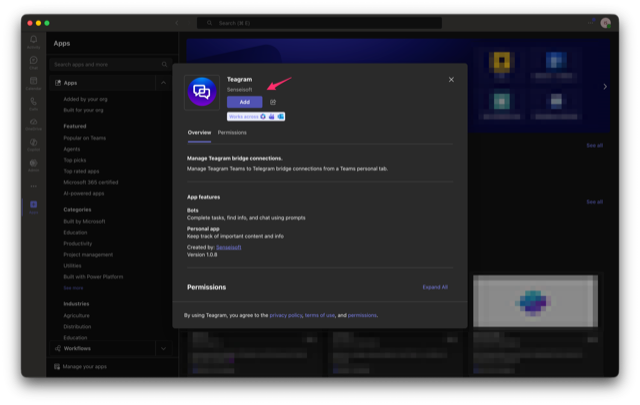
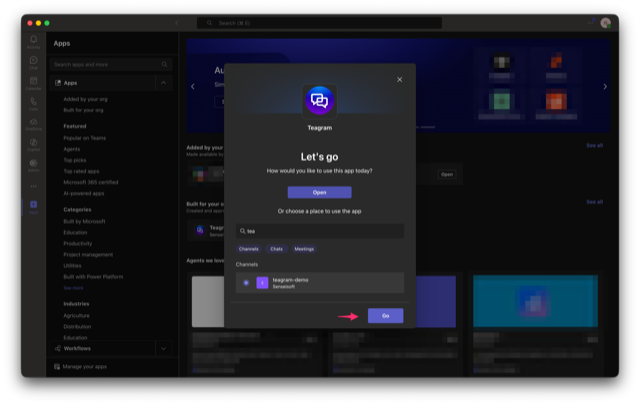
Install Teagram from Teams catalog, (or in Teams, click Apps -> search Teagram -> click Add).
An agent relaying messages between Teams chat and Telegram group, in real time, 24/7.
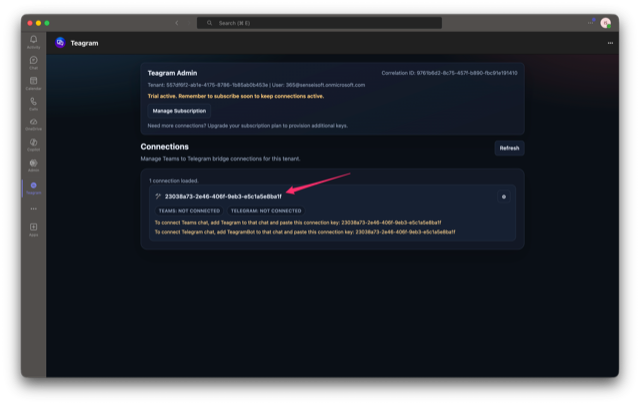
After installation, open the Teagram tab to find your connection key(s). Keys are provisioned automatically based on your plan.
5 steps, ~5 minutes, intended for Teams workspace admin.
Install Teagram from Teams catalog, (or in Teams, click Apps -> search Teagram -> click Add).
After adding, click Open. In the tab, you'll see the status of your bridge and connection key. Copy this key.
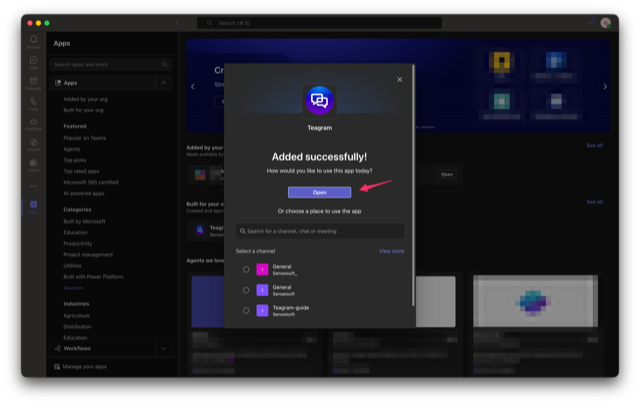
Click Apps -> find Teagram -> find chat in the window -> select it and click Go
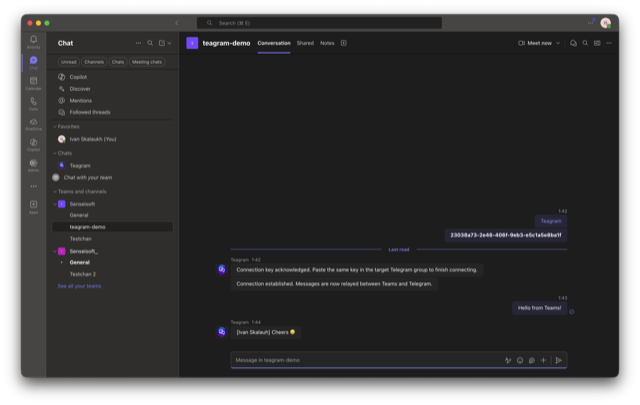
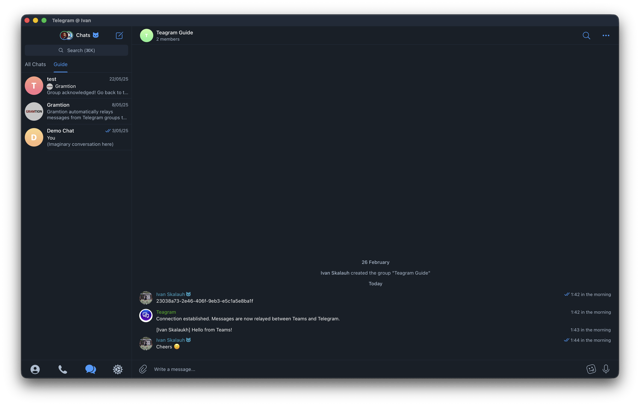
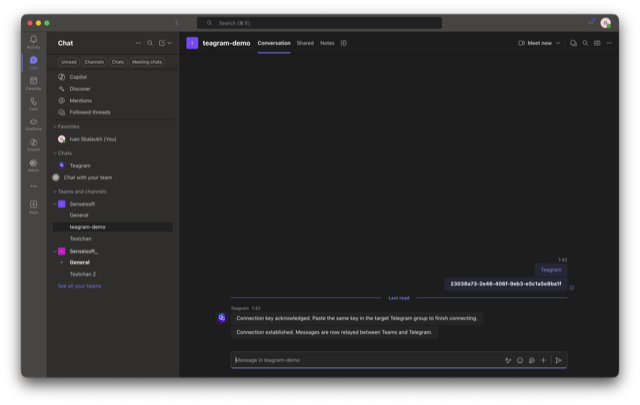
Send the key as a message in the Teams chat you want to connect.
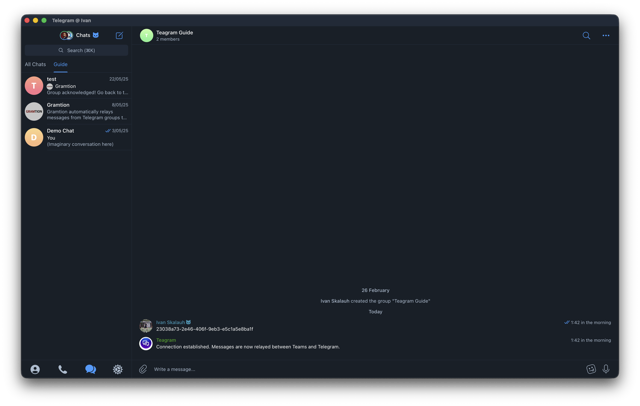
Invite @TeagramBot and send the key in the target Telegram group. Teagram matches both sides and activates the bridge.
You can view connection status, tweak per-connection settings or reset it in the Teagram Admin tab in Teams.